
How to Search the Center Court Docket
Start with the exact court printed on the notice. Center Municipal Court handles city police citations, city ordinance cases, and fine-only Class C matters. A ticket naming Justice of the Peace Precinct 1 belongs to the county justice court instead. District and constitutional county cases may appear through iDocket, while the filing clerk remains the best fallback for a missing or uncertain entry.
- Read the court name and citation or case number.
- Use the Center payment lookup only for a Center Municipal Court matter.
- Call the municipal clerk when the record or setting is unclear.
- Contact JP1 for a citation that names that precinct court.
- Use iDocket or the filing clerk for a higher-court case.
Match the caption, court, and number before relying on a result. Data may lag. The Shelby County case search explains the county and statewide search layers.
Center Court Doors Compared
Center is the county seat and the main access point for several distinct courts. The District Clerk and both District Courts use the active courthouse complex at 200 San Augustine Street. The County Clerk works at 124 Austin Street. Center Municipal Court is at 1020 Shelbyville Street, while JP1 is at 518 Nacogdoches Street. Those addresses are not interchangeable records counters.
The correct door depends on the filing court. District criminal, civil, family, and juvenile files go to the District Clerk. Constitutional county matters go to the County Clerk. Center citations go to the municipal clerk, and JP1 keeps its own justice docket. Take the source paper with you or quote its full number when calling. That small step can prevent a request from reaching the wrong Center office.
The Center Municipal Court
Center Municipal Court hears the city tier of cases. These include Center police citations, ordinance violations, and fine-only Class C charges. Its official page lists 1020 Shelbyville Street and 936-598-3080. The clerk can confirm the citation number, plea or payment status, appearance requirements, current date, and the method for obtaining a copy.
The official Center Municipal Court page shows the city court’s own contact route.
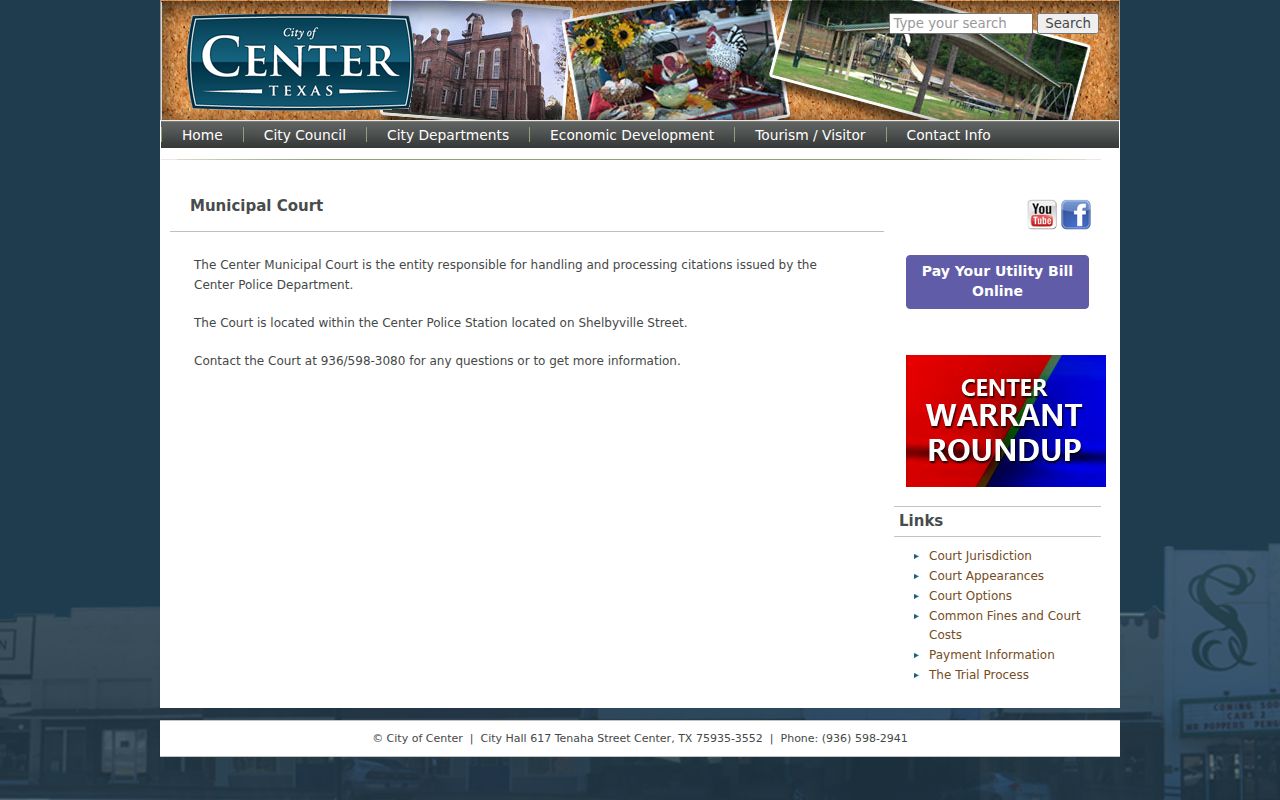
The captured page distinguishes the municipal office from the other Center court counters. A payment screen is not a certified disposition.
Center Payment Form Fields
The official Center court route links to a TrafficPayment invoice screen. It uses identifying fields plus an OTP and CAPTCHA step. These controls help match a user to a payable municipal account, but they do not establish that every Center-area ticket belongs in that system.
| Check | Purpose |
|---|---|
| Court name | Confirms Center Municipal Court rather than JP1. |
| Citation data | Matches the municipal account. |
| Contact details | Supports the verification step. |
| Plea choice | Separates payment from contesting the charge. |
A failed lookup can mean a new filing, mistyped data, or a different court. It does not show that the charge was dismissed. Call Center Municipal Court before paying if any field conflicts with the paper citation.
Center Court Dates and Settings
A Center date should be checked with the clerk that owns the docket. Shelby County publishes pages for district settings, docket calls, and trial settings, but no live list rendered during the research review. For a district matter, use the court page or coordinator. Municipal and JP1 dates require their own clerks. Verify close to the appearance because a later order may reset a setting.
| Date | The scheduled day shown by the court. |
|---|---|
| Time | The docket-call or individual appearance time. |
| Courtroom | The municipal, justice, county, or district location. |
| Judge | The judicial officer assigned to the setting. |
| Setting Type | Arraignment, pretrial, trial, hearing, or compliance event. |
A reset moves a date. It does not dismiss the case. Note the source and date of any online result, then confirm the location and time with the court before travel.
JP1 Is Not Center Court
Justice of the Peace Precinct 1 sits in Center, yet it is a Shelby County court. It handles fine-only criminal and traffic matters within its authority, plus evictions, small claims, and other statutory justice cases. Its office at 518 Nacogdoches Street and phone 936-598-3735 are separate from Center Municipal Court.
Check the caption first. A Center address does not turn a JP1 citation into a municipal case. Use the issuing court’s full name and number.
This distinction controls where to request copies, contest a charge, pay an amount, or confirm a hearing. Sending a sound request to the wrong Center clerk still delays the answer. If the ticket names JP1, use the county justice office. If it names Center Municipal Court, use the city clerk.
Center Traffic Tickets
A citation filed in Center Municipal Court should identify that court and state a response date. The official municipal page and payment route can help with eligible accounts. Review the paper before choosing payment because payment and a request to contest the charge are different paths. When a hearing is requested, the municipal clerk is the source for the next Center court date.
County officers may file a traffic matter in JP1 or another justice precinct. That ticket follows the named court, not the city form. The Shelby County traffic court records page explains the wider routing process. A court case record and a Texas DPS driver record remain separate files held by separate custodians.
Center City Record Requests
Center provides a Public Information Request Form for city administrative records. It asks for requester contact details, a clear description, date and location information, the person involved, and whether inspection or copies are sought. The form also has internal fields for disposition, delivery, and fees, plus a municipal-court processing area.
That form can fit a city record request, but it does not replace a request to the Shelby County District Clerk or County Clerk for a court file. Court records follow the custodian that holds the case. Judicial records are subject to court rules, statutes, and sealing orders. State administrative open-records procedures do not make confidential case material public.
Where Center Cases End Up
City ordinance and qualifying Class C cases stay at the municipal tier. Justice matters stay with the correct precinct. More serious criminal cases, higher-value civil suits, and other state matters move through the constitutional county or district tier according to jurisdiction. A Center address does not decide that path.
Docket flow: Center Municipal Court › Shelby County Courts › District Court
The 123rd and 273rd Judicial District Courts are the main general-jurisdiction trial courts. The District Clerk keeps their case files. iDocket is Shelby’s local search layer, while re:SearchTX is a registered statewide repository whose results depend on access role and record coverage. Neither system replaces the responsible clerk.
Center Courthouse Past and Present
The 1885 Shelby County Courthouse at 124 Austin Street is a Romanesque Revival landmark documented by the Texas Historical Commission. It supplies important Center court history and remains tied to the County Clerk address. The active District Courts and District Clerk destination, however, are at the courthouse complex on San Augustine Street.
Historical importance should not be confused with present custody. A researcher tracing an older Center case may need to ask the filing clerk about retention or archived files. A person attending a current setting should use the location stated by the court. Confirming both the court and building avoids a common error, especially when search results show a Center address with no clear office name.
Public Access to Center Court Records
Center docket entries are generally public court information, but access can be limited by sealing orders and laws that protect sensitive data. Juvenile material, protected addresses, and sealed filings should not be expected in an ordinary public result. Request the record from the court that filed it, and describe the case with its number, court, parties, and approximate date.
Key Rules:
Texas Rules of Judicial Administration set the Rule 12 framework for judicial records and its exceptions.
Texas Rule of Civil Procedure 76a governs sealing of court records in civil cases.
Texas Family Code Chapter 58 restricts access to juvenile justice information.
Verify the Center Docket Entry
Read an online result as a lead, not final proof. A docket shows events, settings, and status labels. It may not include every document image, and a recent order may not yet appear. For formal proof, ask the owning clerk about a certified copy and the current fee. A screen capture is not certification.
When no Center result appears, check spelling, try the exact case number, and confirm the filing court. iDocket supports name and case-number searches, with advanced fields and Soundex for similar spellings. If the case still cannot be found, call the municipal clerk, JP1, District Clerk, or County Clerk based on the court named on the source paper. Keep a note of whom you contacted and what identifiers were checked.
Center Court Payment Screen
The officially linked Center payment screen displays the invoice route used for eligible municipal matters.
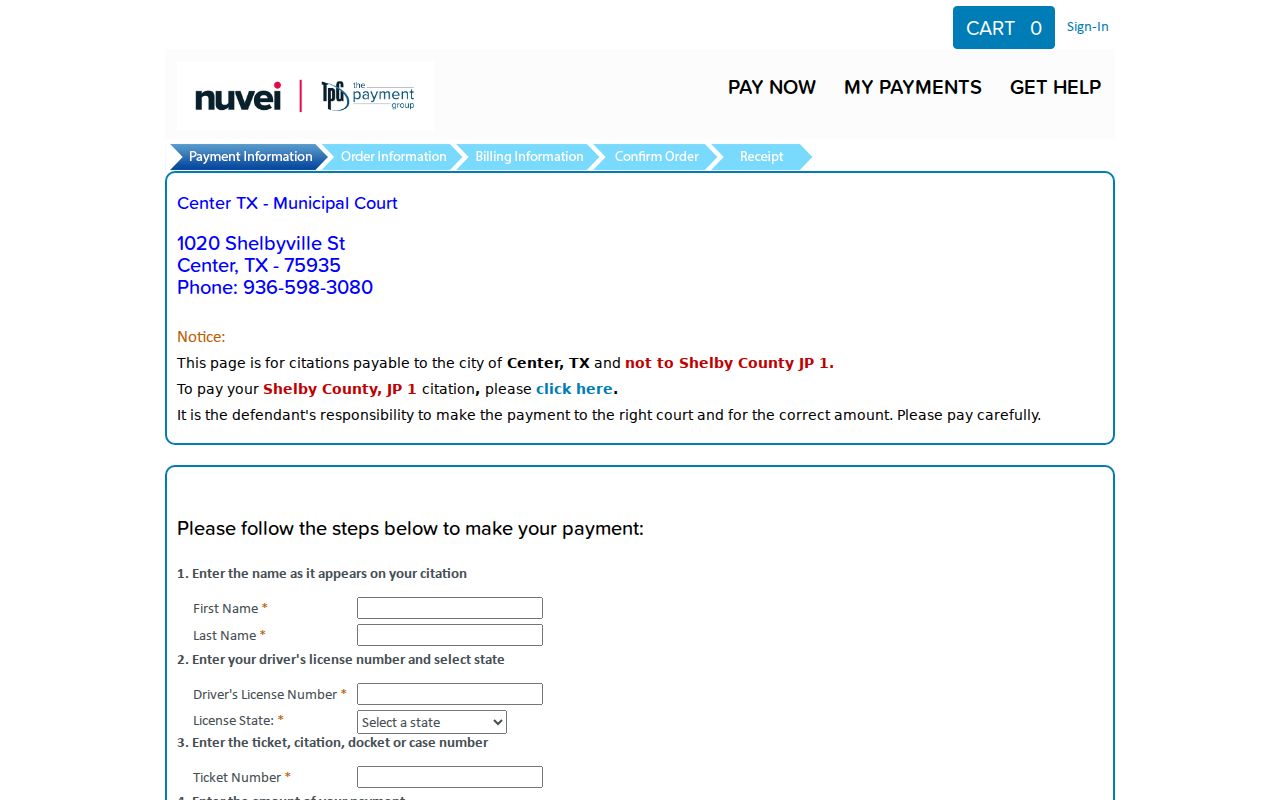
The captured fields reinforce the need to match the court and citation before payment. If the data does not match, stop and call Center Municipal Court rather than trying a different local court’s account.
Center searchers should keep four labels distinct: Center Municipal Court, Center-based JP1, the Shelby County Clerk in Center, and the District Clerk in Center. A Center police ticket normally points to the Center municipal route. A JP1 caption points to the Center justice office. A district case tied to Center points to the District Clerk, while a constitutional county filing tied to Center points to the County Clerk. Each Center route has its own docket, clerk, and copy process.
For every Center request, state the full court name. Add the Center citation or case number, the filed name, and an approximate date. Ask the Center clerk to repeat the next setting and its location. If an online Center entry conflicts with a paper notice, call before acting. That method keeps Center court records tied to their real custodian and makes later verification much easier.